Sepolia Tutorial for Development Testing
This tutorial shows how to prepare a MetaMask wallet with test USDC on Ethereum Sepolia, so you can pay test checkouts created with the eth-usdc-test blockchain ID (see Prerequisites).
What is Sepolia Network?
Sepolia is a public test network (testnet) for Ethereum used by developers to test smart contracts and decentralized applications without using real money.
Activate Test Networks on MetaMask
Assuming you already have MetaMask and its browser extension installed, open your MetaMask extension menu.
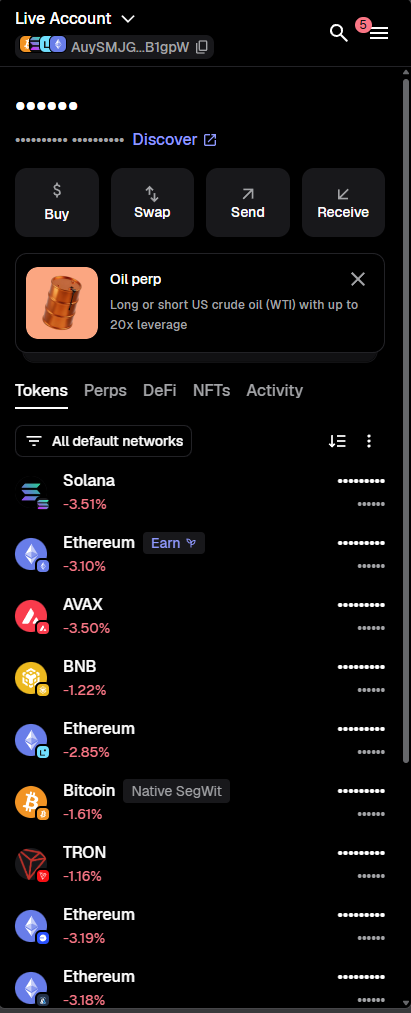
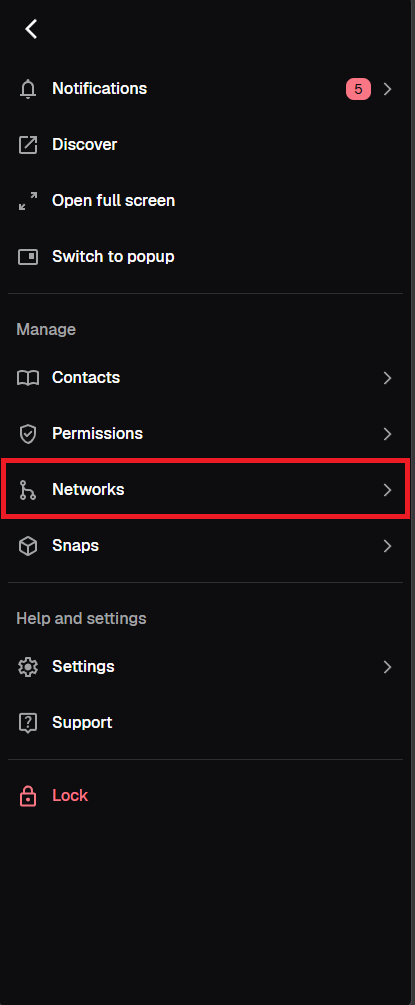
Click on the Menu and then Networks.
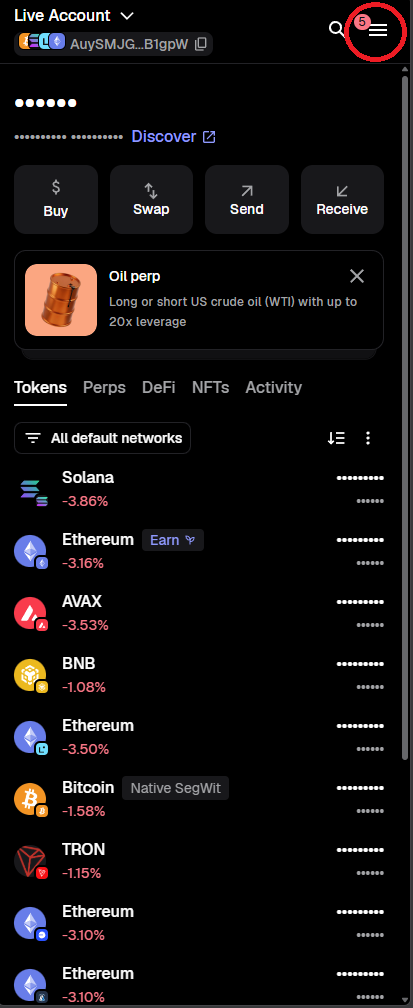
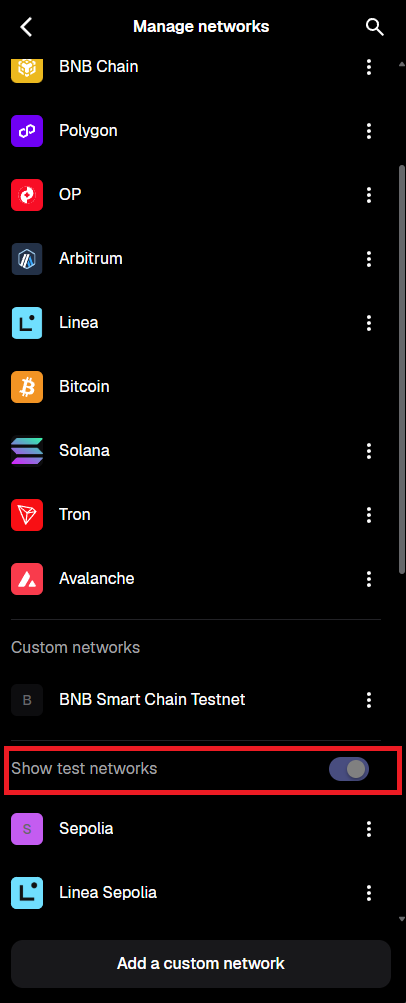
In the networks list ensure that Show test networks is enabled.
Add Sepolia Network on MetaMask
Sepolia is already added as one of the test networks in MetaMask. After enabling Show test networks, the Sepolia test network will be shown in the network list.
Add USDC Cryptocurrency to Sepolia
To see it better, filter out other networks to see only Sepolia.
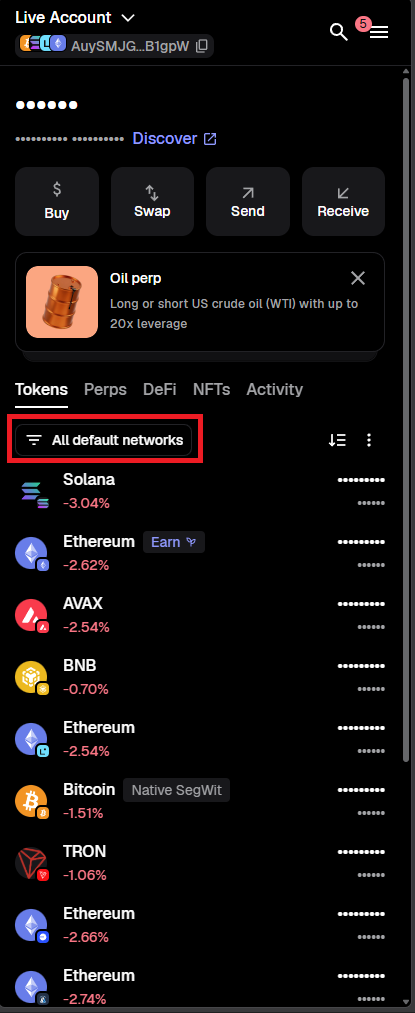
After picking Sepolia, click on options to select Manage Tokens.
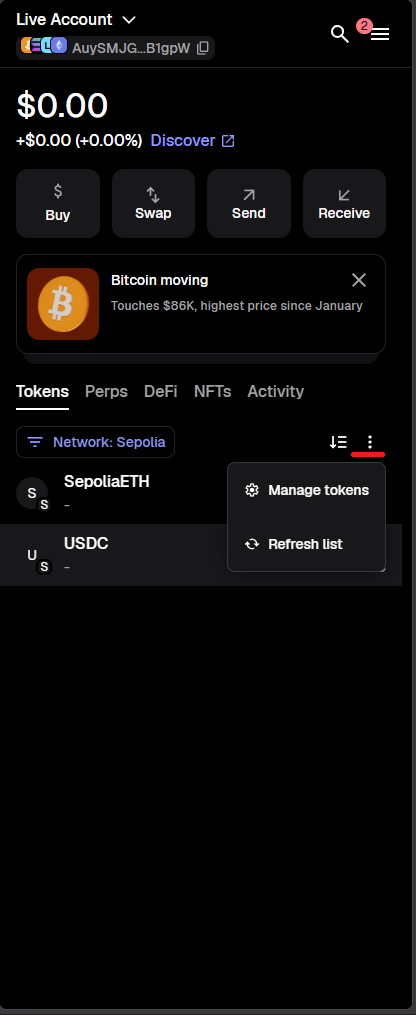
You will find your menu to control networks' token customization, click on Add a custom token.
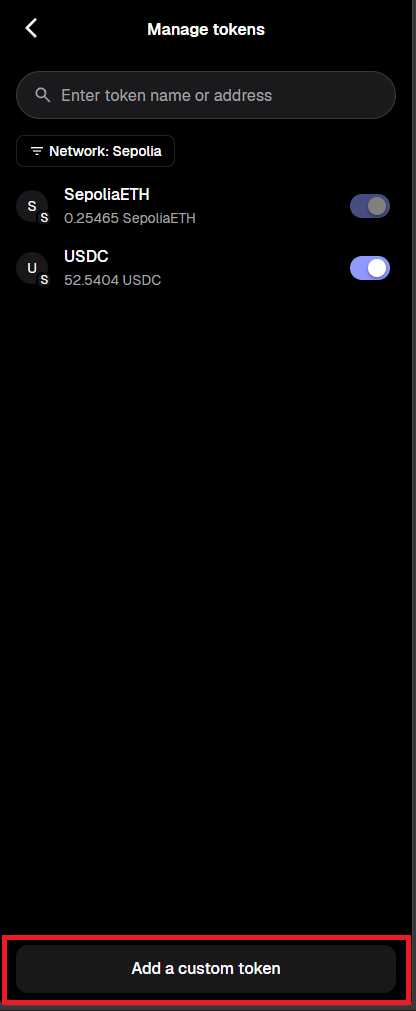
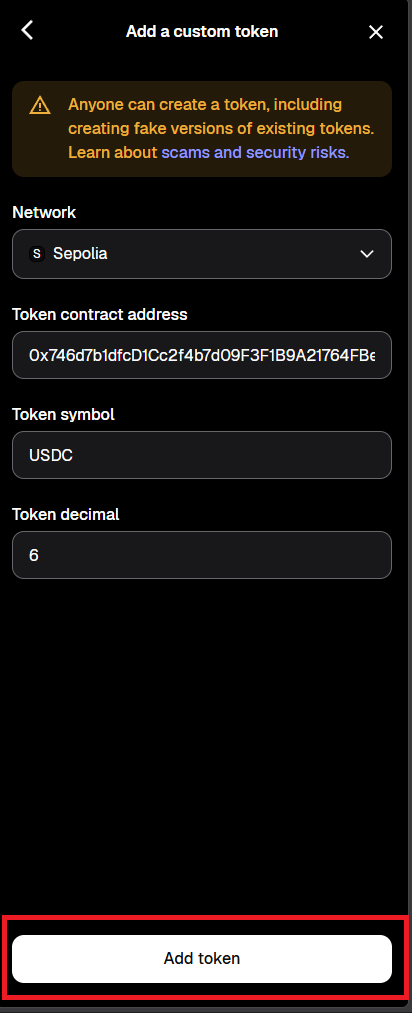
Then choose Sepolia as network and enter the contract address. It is currently 0x746d7b1dfcD1Cc2f4b7d09F3F1B9A21764FBeB33 or 0x1c7d4b196cb0c7b01d743fbc6116a902379c7238 depending on the faucet/deployment. The Token Symbol (USDC) and Token Decimal (6) should auto-fill. If they do not, type them in manually. After that press Add token.
Get Test USDC from the Faucet
After adding the custom token to your Sepolia network, open the Circle Testnet Faucet. Choose USDC, select Ethereum Sepolia as the network and enter your MetaMask Ethereum wallet address.
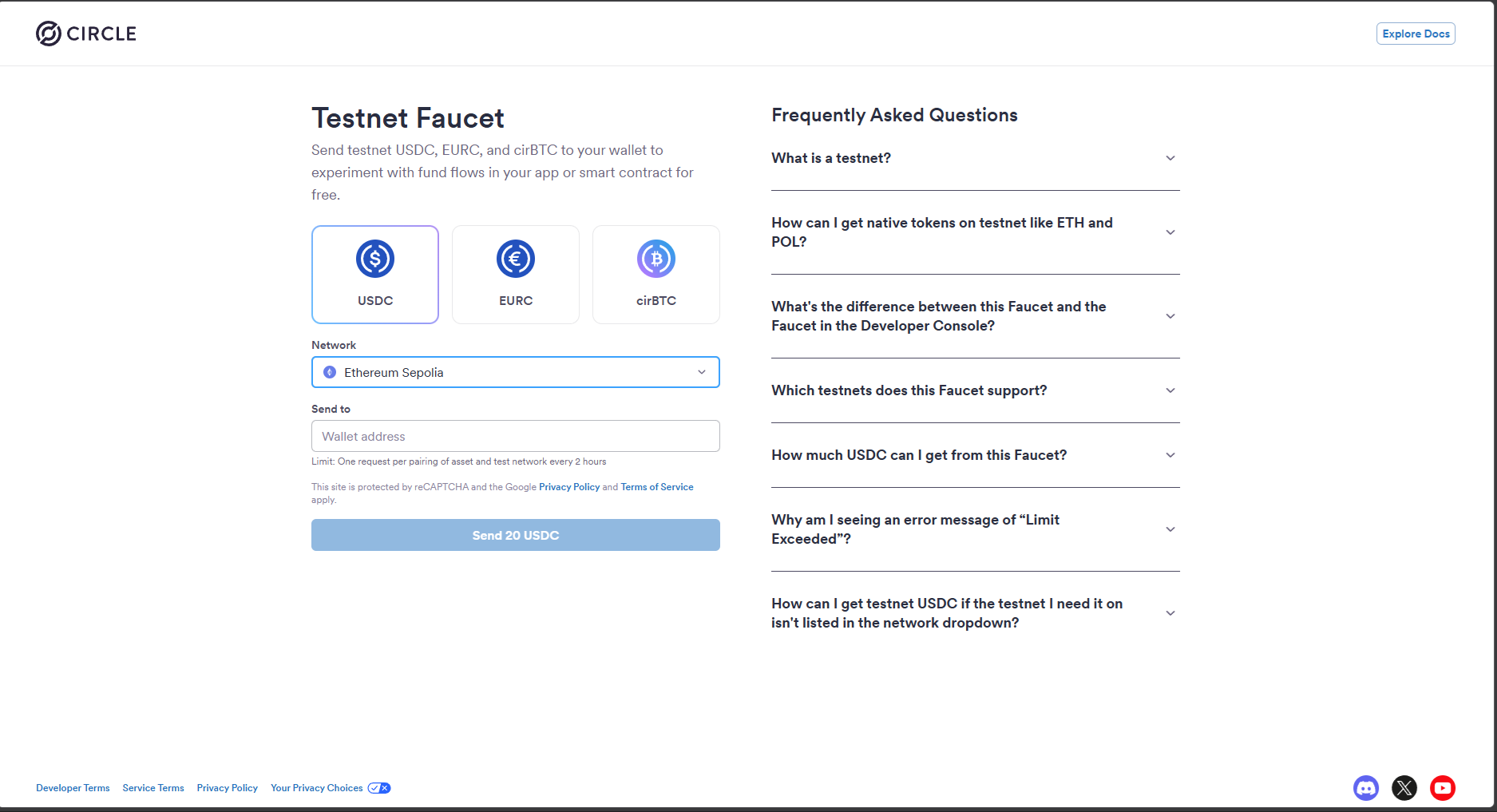
If all steps are completed without an issue you should receive 20 USDC to test on Sepolia network.
Note
Sending USDC on Sepolia also requires a small amount of Sepolia ETH in the same wallet to pay network fees.